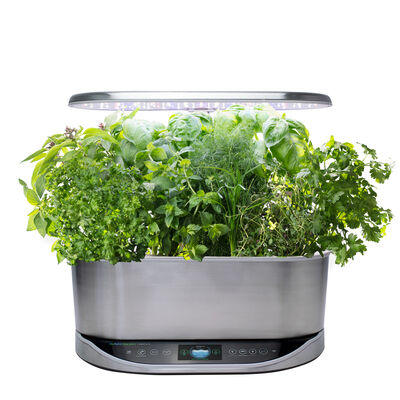
There was a power outage and now the AeroGarden settings are strange.

When the power goes off unexpectedly, especially if there was an associated power surge (such as during a thunderstorm), the AeroGarden may lose its programming, reverting back to default settings.


To correct this you will need to perform a "factory reset", a simple procedure that will usually restore the AeroGarden’s ability to hold its settings.


AeroGarden Classic or Deluxe (7-Pod) – Factory Reset 

1. UNPLUG the AeroGarden.
2. Remove the Bowl and set aside, remove the Lamp Hood, and turn the AeroGarden upside down on its side.
3. Open the little door on the bottom of the AeroGarden, and remove the battery.
4. Plug the AeroGarden back in.
5. Put the battery back in.
6. The AeroGarden is now reset, and will maintain its settings.

Note: a limited number of later-model Classic AeroGardens have an internal circuit that maintains its settings without a battery. If you have a Classic AeroGarden that has a battery compartment without a battery, follow the procedure for the Factory Reset below:

AeroGarden Pro Series (7-Pod) – Factory Reset 

1. Choose a plant selection for anything except Strawberries.
2. Press and hold the Select button for about 5 seconds, until the selection lights begin to circle around. The grow lights will also go off and come back on.
3. IMMEDIATELY release the Select button when this cycle starts to happen, and then press and quickly release the Reset button.
4. The plant selection will now revert to Tomatoes/Peppers and the Add Nutrient light will flash three times.
5. The AeroGarden is now reset, the pump will start running, and it will maintain its settings.

 
AeroGarden 6-Pod Models — Factory Reset

With the grow lights on:

  1. Choose a plant selection other than Live Plants
  2. Press and hold the Select button for about 5 seconds until the selection lights begin to circle around.  Release the Select button as soon as the lights begin circling
  3. With the lights still circling, press and quickly release the Reset button (do not hold it down).
  4. The plant selection will return to Tomatoes/Peppers and the Add Nutrients light will flash 3 times
  5. The unit is now reset and the pump will start

AeroGarden 3-Pod Models - Factrory Reset
With the grow lights on:
  1. Press and hold down the Reset button
  2. The Add Nutrients light will blink 3 times
  3. Then the Replace Bulb light will blink 3 times
  4. Both lights will begin to blink simutaneously
  5. While both lights are blinking release the Reset button and press it again quickly

Occasionally, especially if the Garden was not plugged into a surge protector, an internal fuse will blow, particularly if the garden experienced a power surge such as during an electrical storm. If the factory reset does not restore your settings, please contact Customer Service at 1-800-476-9669.